




- When Do I Get It?
(Collection / Delivery Time Frames)
Our picking, packing and delivery procedure is directly affected by what you order, where you want it delivered and how you choose to pay, so delivery times may vary.
Estimates are provided in the tables below to help you pick the delivery option that best suits you, but always check your order’s Estimated Delivery Date on email communications from us for the most accurate delivery information.
Delivery
| Delivery destination | Delivery time |
| Gauteng | 1-4 working days |
| SA Cities (outside Gauteng) | 2-5 working days |
| Regional Areas | 2-6 working days |
| Remote Areas | 3-7 working days |
Collections
Collect Location: Titan Ice retail store
Address: 774 Jacqueline Drive
Garsfontein
Pretoria
0081
Lead times vary, Please wait for your Ready to Collect email before collecting.
*Trading Hours:
We are open Mondays – Fridays from 8:30 to 17:30
We are also open on Saturdays and Public Holidays from 9:00 to 13:00.
We are closed on Sundays, Easter weekend, Christmas and New Year.
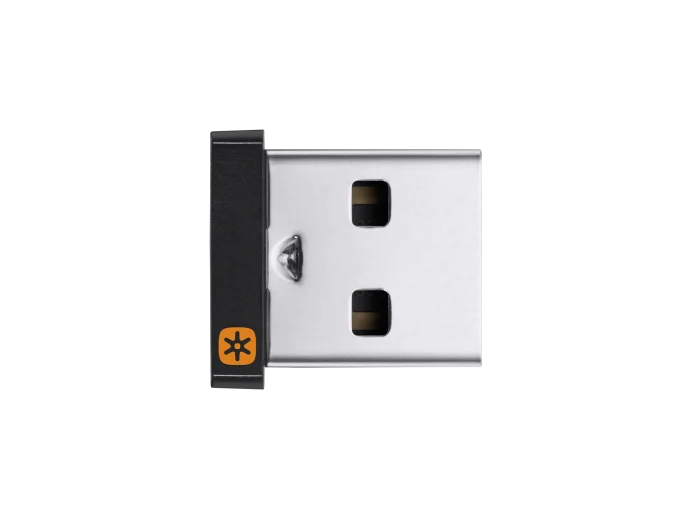
USB receiver to be used with a Unifying mouse or keyboard.
Connect up to 6 compatible keyboards and mice to one computer with a single Unifying receiver – and forget the hassle of multiple USB receivers.
1 RECEIVER – 6 DEVICES
Do More with Logi Options+
Connect up to six Logitech Unifying wireless mice or keyboards to one tiny set-and-forget Unifying USB receiver. You can now personalize the experience of your Unifying devices with the powerful Logi Options+ App that lets you customize your supported Logitech devices so you can get more done.
TINY, LEAVE-IN RECEIVER
Our smallest Unifying receiver. So tiny that you can leave it in your notebook, so there's no need to unplug it when you move around.
LOST YOUR UNIFYING RECEIVER?
Use this stand-alone USB Unifying receiver to replace a lost one. It's compatible with all Logitech Unifying products (look for Unifying logo displayed on compatible products)
ADDITIONAL RECEIVER FOR LOGITECH DUAL CONNECTIVITY DEVICES
Use an extra Unifying receiver to connect a dual connectivity mouse or keyboard – or both – to a second computer. Then switch from one computer to the other with the push of a button for efficient multi-tasking. You can also use your Unifying Receiver with your Flow-enabled mouse for your multi-computer workflows using the Logi Options+ App.
LOGITECH ADVANCED 2.4 GHZ WIRELESS TECHNOLOGY
Advanced 2.4 GHz wireless technology provides a powerful, reliable connection up to 10 meters away with virtually no delays or dropouts.
Specifications
- Dimensions (HxWxD): 15 x 9 x 6 mm
- 2-Year Limited Hardware Warranty
- Compatibility
- Logitech Unifying compatible devices
- Windows® 10,11 or later
- macOS 10.10 or later
- Internet access required to download optional customization app Logi Options+


